
KPIs provide a way to identify relationships between your Recast dashboard. They provide an easy way to aggregate results from two different models into a single Forecast or Optimization. You should typically set up one KPI for each model and for any meaningful aggregations. For example, if your client has two models: in store sales and online sales, you should set up 3 KPIs: (1) in store sales, (2) online sales, and (3) total sales.
How to add a KPI
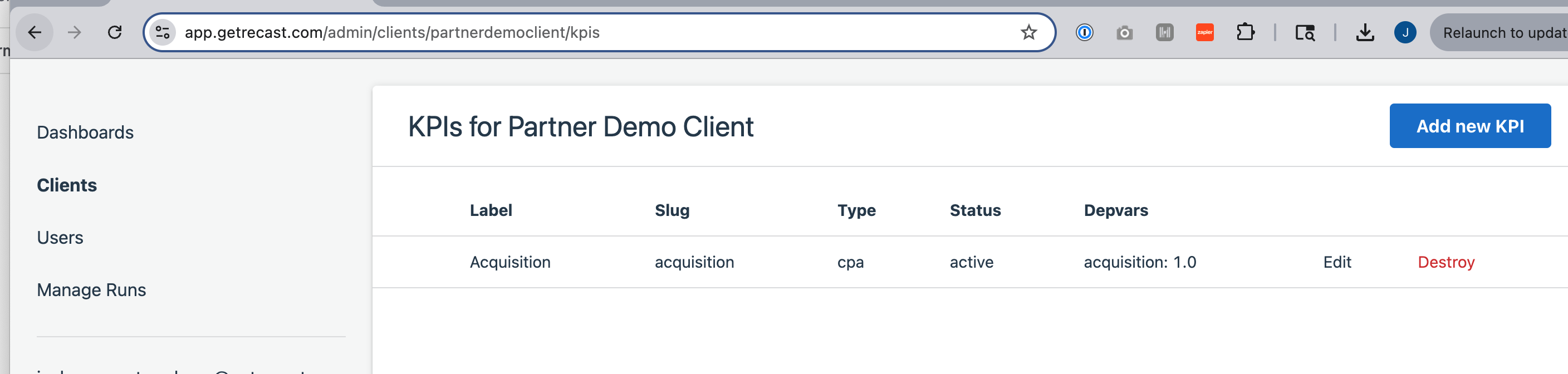
To add a KPI, navigate to “Clients” in the Admin panel. Select the client, then select “KPIs” and “Add a new KPI.”

To make a KPI you will set a slug (can be the same as the label, replacing spaces with underscores). The label is what will show up in app. Choose whether the KPI should display as ROI or CPA, and then set the weight you want to apply to each of the dependent variables. You can read more about weights here.
Once you’ve saved a KPI they will be used in the following places:
-
The Optimizer will allow you to select KPIs to optimize against
-
The Plans tool will automatically forecast Plans for each compatible KPI.
-
[Coming Soon] You can set a Goal against KPIs
-
[Coming soon] Insights dashboards will be created for aggregate KPIs.